Privacy Policy
Wellness Check-In
Individual Developer Edition
Applicable jurisdictions: Singapore (PDPA 2012) and Malaysia (PDPA 2010)
Last updated: 20 July 2026.
§Defined Terms
The following terms are used consistently throughout this Privacy Policy:
| Term | Definition |
|---|---|
| Principal | The person whose activity and wellbeing is monitored through the App — typically an elderly or vulnerable individual living independently. The Principal is the sole administrator of their own Circle and controls who may follow their status at all times. A single account may hold the Principal role simultaneously with the Follower role in other Circles. |
| Follower | A trusted person — typically a family member — granted access by a Principal to view that Principal's check-in status and receive escalation alerts. A Follower may follow multiple Circles. A Follower who is also a Principal in their own Circle holds a Dual Role. |
| Circle | The group associated with a single Principal, comprising the Principal, all their Followers, the Principal's check-in windows, and the escalation settings. Each Circle is independent — its settings and Follower list have no effect on any other Circle. |
| Dual Role | The configuration in which a single account simultaneously acts as Principal in their own Circle and as Follower in one or more other Circles. Accessed via the Role Switcher. |
| Role Switcher | A navigation control in the application allowing a Dual Role user to toggle between their Principal home screen and their Follower dashboard(s) without re-authentication. |
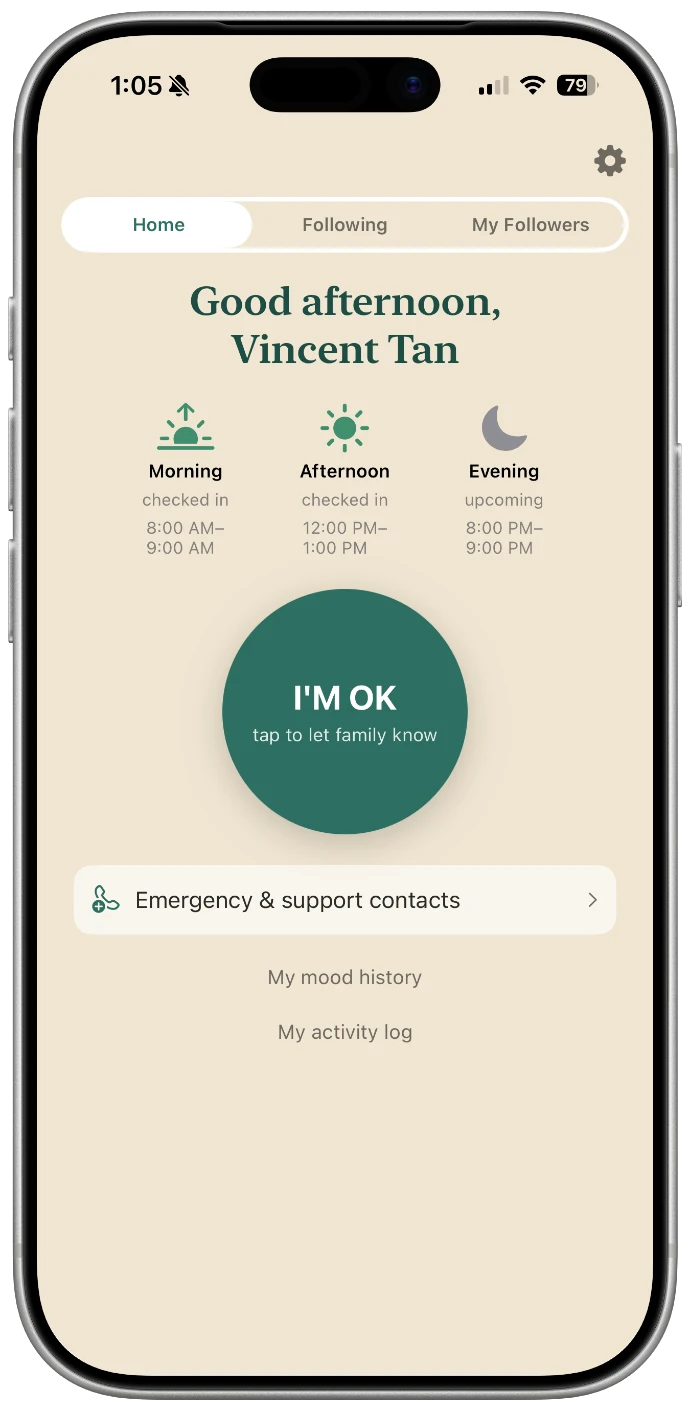
| Check-in window | A configured time range (e.g. 7:00–10:00am) during which the system expects at least one activity signal from the Principal. Each Principal may configure up to three windows per day. |
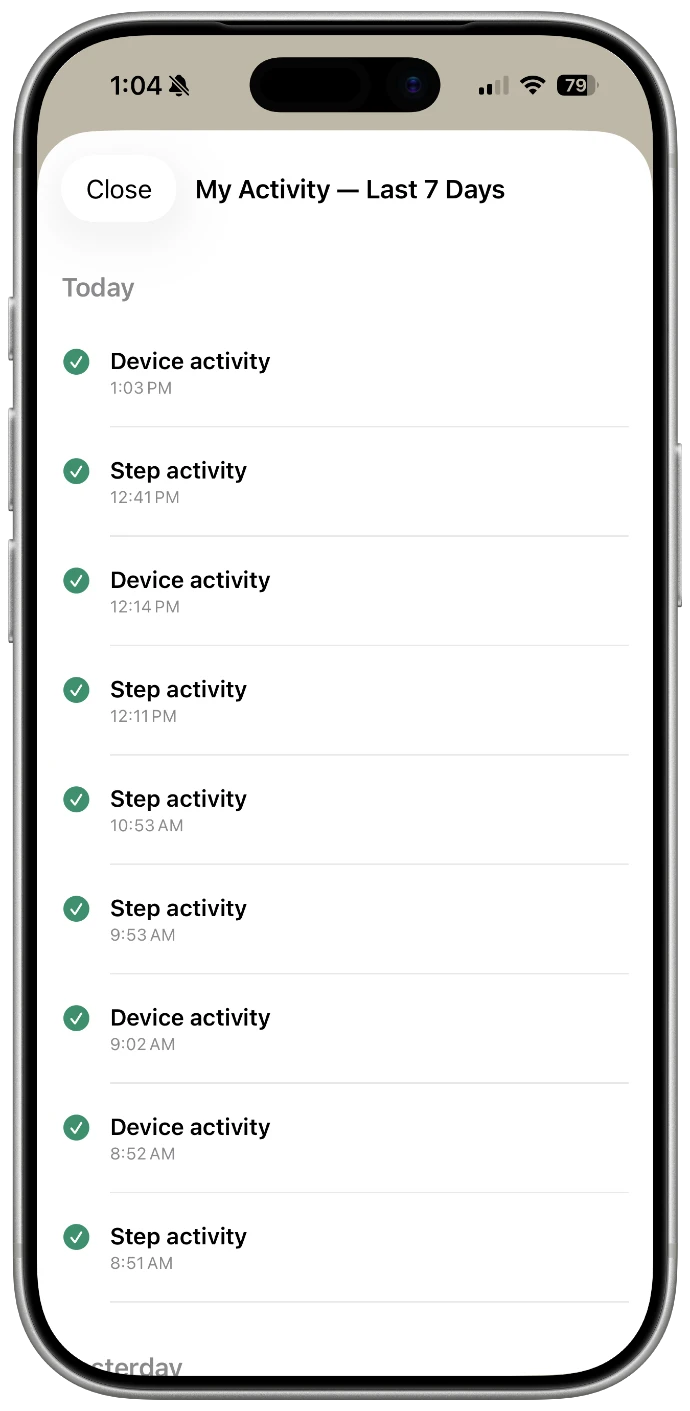
| Activity signal | Any event received from the Principal's device indicating the Principal is active: step count detection (HealthKit), on-device usage detection (Apple Screen Time / Family Controls), app activity (background refresh or app open — logged for the Principal's own diagnostic timeline only, never treated as evidence of activity), or manual check-in (I'm OK button press). |
| Consecutive miss | Two adjacent check-in windows — in the same day or across a day boundary — that receive no activity signal. Two consecutive misses trigger the escalation sequence. |
| Escalation | The sequence of notifications sent to all Followers after two consecutive misses: push notification immediately, SMS after 30 minutes if unresolved, and an automated voice call after a further configurable interval if still unresolved. The Principal may choose whether one or two call attempts are made. The phone number that places the call is shown to users in-app so it can be saved as a known contact, and any change to that number is notified to users. |
| Acknowledge | Action by any single Follower confirming they have checked on the Principal. One acknowledgement stops the full escalation chain for all Followers and triggers a resolution notification broadcast. |
| Invite code | A 4-character one-time code generated by the Principal. Valid for 15 minutes. Invalidates on first use. Must be paired with the Principal's User ID for a join to succeed. |
| User ID | A unique identifier assigned to your account at registration. Used to identify your account in support requests and as the pairing key when a Follower joins your Circle. Not shown during normal app use. |
| App | The Wellness Check-In mobile application, available on iOS and (planned) Android. |
| We / us / our | Tan Xin Sheng — the individual developer responsible for the App. This App is operated by an individual, not a registered company. |
1Introduction
This Privacy Policy explains how Tan Xin Sheng, an independent individual developer operating without a registered company ("we," "us," or "our"), collects, uses, discloses, and protects information when you use the Wellness Check-In mobile application (the "App").
The App is designed to help families maintain awareness of a Principal's daily activity and wellbeing through passive signals (such as step counts via Apple HealthKit and, if separately enabled, on-device usage detection via Apple Screen Time), optional manual check-ins, and a consent-based follower system. The Principal controls who may follow their status at all times.
This policy applies to all users of the App in Singapore and Malaysia. As an individual developer there is no separate company headquarters — you can reach the developer directly using the contact details in Section 14.
By creating an account or using the App, you agree to the collection and use of information as described in this Policy. If you do not agree, please do not use the App.
2Information We Collect
Information Provided Directly
| Data type | Examples | Why we collect it |
|---|---|---|
| Account information | Name, email address, phone number | To create and secure your account and identify you within a Circle |
| User ID | A unique identifier assigned automatically at registration | Used to identify your account in support requests and to pair Follower joins. Not displayed in normal app use. |
| Circle and relationship data | Names and phone numbers of Followers invited by the Principal; join requests submitted by prospective Followers | To establish and manage who may view the Principal's check-in status and receive alerts |
| Invite codes | 4-character one-time codes generated by the Principal; paired with the Principal's User ID for all join operations | To enable consent-based Follower onboarding via QR scan or manual entry. Codes expire after 15 minutes and invalidate on first use. |
| Check-in window preferences | Selected time ranges for morning, afternoon, and evening windows | To determine when activity is expected and to evaluate whether consecutive windows have been missed |
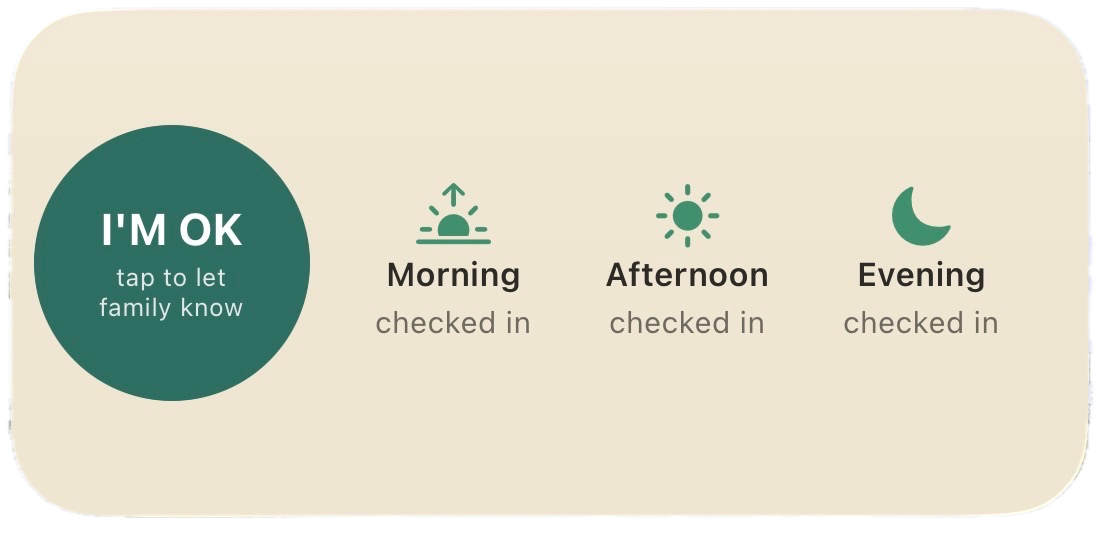
| Manual check-ins | Timestamp of I'm OK button presses | Core optional safety signal. Resolves active alerts when pressed during an escalation. |
| Mood data | Mood icon selection (happy, tired, unwell, lonely, grateful) and optional short text note | Allows the Principal to share emotional wellbeing with Followers. Collected only when the Principal actively selects a mood. Shared with Followers only if the Principal explicitly enables the share toggle for that check-in. Private by default. |
| Follow requests | Email address and phone number of the account being searched | Required for the follow request path only — used to locate a Principal's profile. Both fields are required as a spam-reduction measure. |
| Support communications | Messages sent to our support contact | To respond to questions, reports, or issues |
Information Collected Automatically
| Data type | Examples | Why we collect it |
|---|---|---|
| Activity and step data | Step counts via Apple HealthKit | Core passive check-in signal. Used only to determine whether the Principal has been active during a check-in window. Raw step counts are processed on-device; only the resulting activity status (active / not active) is transmitted to the backend. |
| Device activity signals (opt-in) | On-device app/category usage crossing a set duration threshold, via Apple's Screen Time (Family Controls / DeviceActivity) framework | Secondary passive check-in signal alongside step data. Off by default — must be separately enabled by the Principal. Detects only whether the device was in active use for a little while; the specific apps, categories, or websites monitored are never transmitted to the backend, only the resulting activity status. |
| App activity signals | App opens and background refresh events | Logged only to the Principal's own diagnostic activity timeline. Not used to determine whether a check-in window was met, to reset a missed-check-in counter, or to resolve an active alert — a background refresh requires no action from the Principal, so it cannot be trusted as evidence of activity. |
| Device and connectivity information | Device model, OS version, app version, last online timestamp | Used for troubleshooting, compatibility checks, and to populate the 'phone may be offline' disclaimer in alerts when no recent signal has been received from the Principal's device. |
Information We Do NOT Collect
- We do not access photos, contacts list, messages, call history, or browsing history.
- We do not collect GPS location data. No location tracking is built into the App.
- We do not collect HealthKit data beyond step counts (no heart rate, sleep, nutrition, or other health metrics) unless a future version explicitly adds this with separate, specific consent and a corresponding update to this Policy.
- We do not collect which specific apps, websites, or content a Principal used, or for how long, beyond a single threshold crossing — Device Activity monitoring (Apple Screen Time) reports only whether the device was in use, never any detail about what was done on it.
- We do not use the App to serve third-party advertising. No data is shared with advertising networks.
- The User ID is not used to infer user counts, segment users for marketing, or share with any third party.
3Passive Signal Data — Special Category
Apple HealthKit (Step Activity)
Read-only access to step count data via Apple HealthKit is requested solely to determine whether the Principal has been physically active during their configured check-in windows. The App does not:
- Store raw, granular step count values beyond the on-device computation needed to produce an activity status
- Share any HealthKit data with Firebase, Twilio, or any other third party
- Use HealthKit data for advertising, profiling, research, or any purpose unrelated to the check-in safety feature
HealthKit access may be revoked at any time via iPhone Settings → Privacy & Security → Health → Wellness Check-In. If revoked, the App will rely on manual check-ins and app-activity signals only. Passive monitoring will be reduced but the App will remain functional.
Apple Screen Time / Family Controls (Device Activity)
Opt-in access to Screen Time / Family Controls data is requested solely to determine whether the Principal's device has been in active use during, or between, their configured check-in windows — as a second passive signal alongside step activity. This feature is off by default and must be separately enabled by the Principal. The App does not:
- Identify which specific app, website, or content the Principal used
- Store or transmit usage duration beyond the single threshold crossing needed to produce an activity status
- Share any Screen Time / Family Controls data with Firebase, Twilio, or any other third party
- Use this data for advertising, profiling, research, or any purpose unrelated to the check-in safety feature
Screen Time / Family Controls access may be revoked at any time via iPhone Settings → Screen Time → Wellness Check-In, or by disabling the feature within the App. If revoked or never enabled, the App relies on manual check-ins and (if separately granted) HealthKit step data only.
4How We Use Your Information
- To provide the core check-in and alert functionality of the App, including evaluating check-in windows, tracking consecutive missed windows, and triggering escalation when two consecutive windows are missed.
- To manage the Principal's Circle — processing invite codes, QR join flows, manual code entry, and follow requests in accordance with the consent model described in Section 5.
- To notify Followers of check-in status and trigger escalation (push notification, then SMS if unresolved, then an automated voice call if still unresolved) in accordance with the Principal's configured escalation settings.
- To assign and maintain a User ID for each account for support purposes.
- To send service-related communications including account verification, security alerts, and escalation resolution notifications.
- To maintain the security and integrity of the App, including detection of abuse of the join system (e.g. repeated follow requests to the same Principal).
- To comply with applicable legal obligations.
We do not use personal information for targeted advertising. We do not sell personal data to any third party.
5Consent & Circle Membership
The Principal is the administrator of their own Circle. All consent flows outward from the Principal — no Follower may access the Principal's check-in data without the Principal's explicit, prior consent. A single account may hold the Principal role in their own Circle while simultaneously acting as a Follower in one or more other Circles (Dual Role). Each Circle's consent, data, and settings are independent. Three mechanisms are provided for granting and requesting Follower access:
| Path | Mechanism | Data involved |
|---|---|---|
| QR code (primary) | The Principal's home screen displays a QR code encoding their User ID and a 4-character one-time invite code. The prospective Follower scans the QR code from within the App. Join is immediate on scan with no further approval step. | User ID and invite code only. No personal data of the Principal is transmitted to the prospective Follower at the join step beyond what is already known to them. |
| Manual code entry (secondary) | The Principal reads their User ID and invite code aloud. The prospective Follower enters both fields manually. Same outcome as QR path. | Same as QR path. |
| Follow request (fallback) | The prospective Follower enters the Principal's email address AND phone number. Both fields are required as a spam-reduction measure. A pending join request is created and the Principal receives a named approval notification: '[Name] wants to check on you — Allow / Not now.' | The prospective Follower's name and account identity are shared with the Principal to enable an informed approval decision. The Principal's email and phone number are used for lookup only and are not displayed to the prospective Follower. |
The Principal's home screen permanently displays all current Followers with an option to remove any individual at any time. Removal requires a named confirmation step to prevent accidental deletion and takes effect immediately upon confirmation. Removed Followers lose access to all future check-in data and alerts. Historical alert records may be retained as part of the Circle's audit log unless deletion is specifically requested.
6How Information Is Shared
Within a Circle
Check-in status, activity timestamps, window-met or missed indicators, and (if explicitly shared by the Principal for a specific check-in) mood data are visible to all Followers in that Circle. No data is shared outside a Circle without the Principal's consent.
The Principal's User ID is never shared with Followers or disclosed within the App interface. It is used only for support correspondence between the user and the operator.
Service Providers (Sub-processors)
| Provider | Purpose | Data involved | Location |
|---|---|---|---|
| Google Firebase (database & authentication) | Stores account data, Circle membership, check-in records, alert records, and escalation settings | Account data, Circle membership, check-in records, alert records, escalation settings | asia-southeast1 (Singapore). Data at rest for the database is located in Singapore. |
| Google Firebase (backend processing) | Runs the backend processing that operates the service, including escalation | Reads and processes the same records listed above while executing | us-central1 (United States). The backend processing that reads this data executes on US-located servers — a genuine international transfer during processing, distinct from where the data is stored at rest. See Section 12. |
| Twilio | SMS and automated voice call delivery for escalation alerts | Follower phone numbers, alert message content (text or text-to-speech script) | United States. Twilio's default Region is US1 (Ashburn, Virginia); no Singapore data-residency region is offered. |
| Resend (Resend, Inc.) | Delivers the 6-digit email verification code used for registration and email-change confirmation | Recipient email address, verification code | United States (Resend, Inc.). Transactional email is delivered via Resend, which sends on Amazon SES infrastructure; no Singapore data-residency option is offered. |
| Apple Inc. | HealthKit step count access and Screen Time / Family Controls device-usage detection (both on-device processing only, the latter opt-in); App Store distribution | Step count and device-usage data processed on-device only; only the resulting activity status is transmitted to Firebase. No raw health data or app/website-level usage detail reaches Apple's servers via this App. | On-device (iOS) |
Legal Disclosures
Information may be disclosed if required by law, regulation, legal process, or governmental authority, or where disclosure is necessary to protect the safety of a user or the public in a genuine emergency.
Business Transfers
In the event that responsibility for operating this App is transferred to another developer, individual, or company — for example, if the App or its underlying assets are sold, or operation is taken over by someone else — user information may be transferred to the successor. Users will be notified via the App or by email before their information becomes subject to a materially different privacy policy.
7Data Retention
Retention periods are set by data type according to operational need, support requirements, and legal obligation. Data retained beyond the 7-day in-app activity timeline is held for operational, support, and legal purposes only and is not surfaced in the application interface after that display window closes.
Short-term (7 days or less)
| Data type | Retention period | Reasoning |
|---|---|---|
| Invite codes | Deleted immediately on first use, or on expiry (15 minutes from generation), whichever occurs first | No ongoing value once used or expired. |
| Pending follow requests (no action taken by Principal) | 7 days from creation | Short-lived by nature. Stale requests should not persist indefinitely. |
Medium-term (90 days)
| Data type | Retention period | Reasoning |
|---|---|---|
| Check-in and activity signals (steps, device activity, app activity, manual check-ins) | 90 days from the date of each record | 3× longer than the in-app 7-day display window. Covers any realistic support or dispute window. Proportionate to the safety purpose under PDPA's 'no longer than necessary' principle. |
| Mood data (private — not shared with Followers) | 90 days from the date of each record | Stored only in the Principal's own check-in record. Treated consistently with other activity data. |
| Mood data (shared with Followers) | 90 days from the date of each record | No reason to retain shared mood data longer than the underlying check-in record it accompanies. |
Long-term (12 months)
| Data type | Retention period | Reasoning |
|---|---|---|
| Alert records (triggered, escalation steps fired, resolved, acknowledged by) | 12 months from the date of the alert | Higher evidential value than routine check-in data. Most likely records to be required in a dispute, legal query, or regulatory enquiry. |
Account lifetime
| Data type | Retention period | Reasoning |
|---|---|---|
| Account information (name, email, phone) | Duration of active account + 30 days following account deletion | 30-day post-deletion window allows recovery if account is deleted in error and accommodates outstanding support queries. |
| User ID | Duration of active account + 30 days following account deletion | Required for support correspondence and record integrity for the lifetime of the account. |
| Circle membership records | Duration of active Circle + 30 days following Circle dissolution | Required to confirm historical consent relationships if queried. |
8Your Rights
Singapore (PDPA 2012)
Under Singapore's Personal Data Protection Act 2012, you have the right to:
- Request access to personal data we hold about you, including your account information, check-in history, Circle membership, and your User ID
- Request correction of inaccurate or incomplete personal data
- Withdraw consent for collection, use, or disclosure of your personal data, noting that withdrawal may limit or disable App functionality (e.g. withdrawing consent for HealthKit access, or for Screen Time / Family Controls access, disables the corresponding passive monitoring signal)
- Be informed of the purposes for which your data is collected, used, or disclosed
- Lodge a complaint with the Personal Data Protection Commission (PDPC) of Singapore: pdpc.gov.sg
Malaysia (PDPA 2010)
Under Malaysia's Personal Data Protection Act 2010, you have the right to:
- Request access to and correction of your personal data
- Withdraw consent to the processing of your personal data
- Limit processing of your personal data for purposes to which you did not originally consent
- Lodge a complaint with the Personal Data Protection Department of Malaysia (PDPD)
Exercising Your Rights
To exercise any of the above rights, contact us at vowl.vinny@gmail.com. We will respond within the timeframe required by applicable law (typically 21–30 calendar days from receipt of a valid request).
9Children's Privacy
This App is not directed at children. We do not knowingly collect personal data from individuals under 13 years of age (or the applicable minimum age in the relevant jurisdiction) without verifiable parental or guardian consent.
At first sign-in, before any name, email, or other profile information is collected, the App asks each new user to confirm whether they are 13 years of age or older. A user who indicates they are under 13 cannot complete registration, and no profile is created for them. A user who confirms they are 13 or older has that confirmation recorded on their account with a timestamp. This is a neutral self-attestation age gate — it records that the question was asked and answered, but it is not identity or age verification and does not confirm the user's true age. It is a mitigation consistent with common app-store practice, not a guarantee.
10App Store & Google Play Disclosures
Apple App Store — Privacy Nutrition Label
The App Store Connect 'App Privacy' declaration must be kept aligned with this Policy at all times. Based on data collected (Section 2), the expected declarations are:
| Data category | Linked to user? | Used for tracking? | Notes |
|---|---|---|---|
| Contact info (name, email, phone) | Yes | No | Collected at registration and for follow requests |
| Identifiers (User ID) | Yes | No | Support use only; not used for advertising or cross-app tracking |
| Health & fitness (step count status) | Yes | No | Activity status only — raw step counts not transmitted to backend |
| Usage data (device-in-use status, opt-in, via Screen Time) | Yes | No | Activity status only — specific apps/content never transmitted to backend; feature is off by default |
| User content (mood notes, if shared) | Yes | No | Only when Principal explicitly shares a mood check-in |
'Used for tracking' is expected to be No across all categories, as no data is shared with third parties for advertising or cross-app tracking purposes. This must be verified against the final App implementation before App Store submission.
Google Play — Data Safety Section
The Google Play 'Data safety' form must reflect the same categories as the App Store Nutrition Label and must additionally confirm: whether data is encrypted in transit (yes — TLS), whether users can request data deletion (yes — Section 8), and whether the App shares data with third parties (yes — Firebase and Twilio, for service delivery only, as detailed in Section 6.2).
Required In-App Disclosures
- HealthKit permission string: a clear, specific purpose statement must be displayed when the App first requests HealthKit access — e.g. 'Wellness Check-In reads your step count to let your family know you're active. No other health data is accessed.'
- Screen Time / Family Controls: Apple provides no custom permission string for this framework, so the App's own in-app explanation screen (shown before the system's fixed authorization prompt) must clearly state that only a binary usage signal is shared, never which app or content was used — e.g. 'This adds a second passive signal alongside step activity... It only ever reports whether you were using your phone — never which apps, or anything about what you did in them.'
- Push notification permission string: a clear explanation of why notifications are requested — e.g. 'Wellness Check-In uses notifications to alert your family if your check-in windows are missed.'
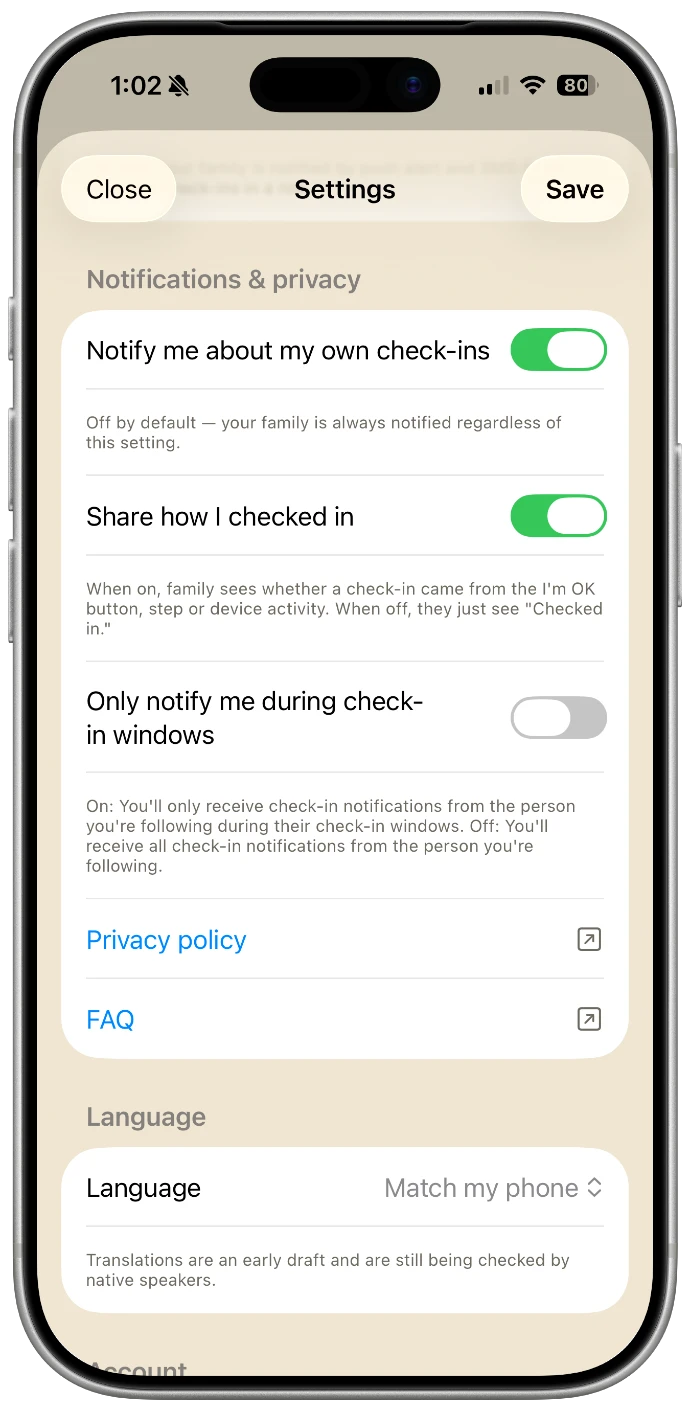
- This Privacy Policy must be linked from within the App (Settings → Privacy Policy) and from the App Store and Google Play listing pages.
11Data Security
- All data in transit between the App and our backend (Google Firebase) is encrypted using TLS (Transport Layer Security).
- Sign-in uses phone-number verification with a one-time passcode (OTP) sent to the user's phone.
- Access controls restrict data so that users can only read and write data for Circles they are a member of.
- Invite codes are short-lived (15-minute expiry) and single-use, and must be paired with the Principal's User ID to join, making unauthorised access attempts impractical.
Backend configuration and API credentials are not published publicly.
No method of electronic transmission or storage is 100% secure. While every reasonable measure is taken to protect personal data, absolute security cannot be guaranteed.
12International Data Transfers
Personal data may be processed in countries other than Singapore or Malaysia, including by service providers operating in other jurisdictions (Section 6.2). Where such transfers occur, steps are taken to ensure adequate protection in accordance with applicable law, including reliance on the compliance frameworks and contractual data-protection commitments of these service providers (such as Google and Twilio).
Data for this App is stored at rest in the asia-southeast1 (Singapore) region. However, the backend processing that operates the service runs in the us-central1 (United States) region — meaning personal data is read, processed, and temporarily held in memory on US-located servers each time that processing runs, even though it is written back to a Singapore-located database. This is a genuine, ongoing international transfer of personal data to the United States, not a hypothetical one.
13Changes to This Policy
This Privacy Policy may be updated from time to time. Material changes will be notified to users via in-app notification or by email at least 14 days before the change takes effect. The 'Last Updated' date at the top of this document will reflect the most recent revision. Continued use of the App after the effective date of a material change constitutes acceptance of the revised Policy.
14Contact Us
For questions about this Privacy Policy, requests to exercise your data rights, or concerns about how your personal data is handled, please contact:
Developer name: Tan Xin Sheng
Email: vowl.vinny@gmail.com
Contact address: 450B Bukit Batok West Avenue 6, #02-601, Singapore 652450
Data Protection Officer: No Data Protection Officer has been appointed. As an individual developer, the developer named above is the point of contact for all data-protection matters.
We aim to respond to all privacy-related enquiries within 21 calendar days of receipt.